Loading...

Your labels, your portal

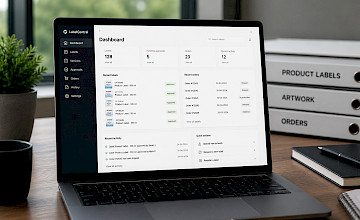
Everything in one place

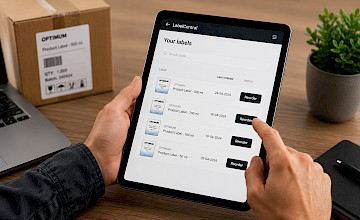
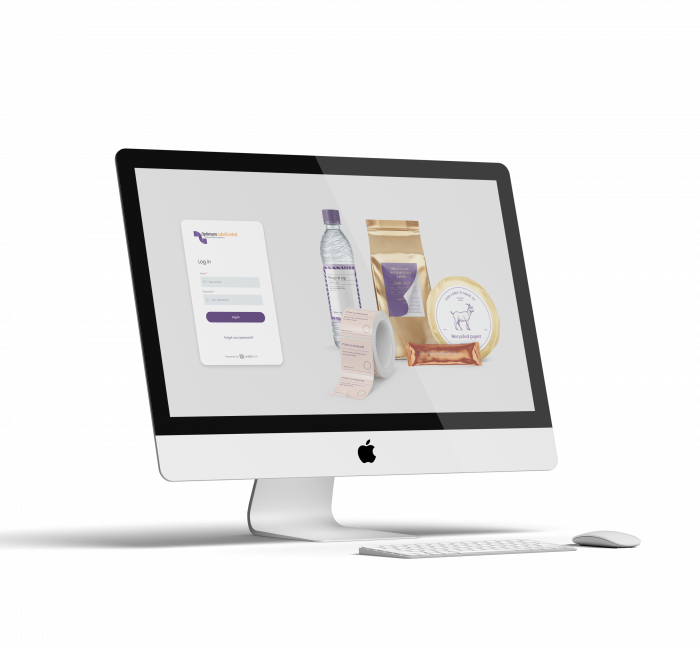
LabelCentral is the online portal where you can review and approve artwork, view your label history, upload files, and place repeat orders. Anytime, anywhere.
Optimum Group™
Enhanced Productivity
Centralized Artwork Management
Improved Customer Experience

Why customers use LabelCentral

From approving artwork to tracking orders — everything in one easy-to-use place.

How it works

Three simple steps from receiving a label to confirming it's correct.

You receive an email

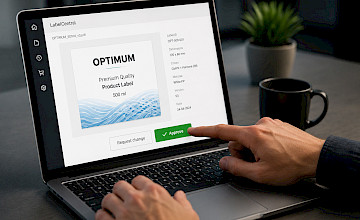
Optimum Group sends you a secure link to review your label artwork. No login required — just click and open.

Review in detail

Use the built-in viewer to zoom in, check colours, and review specifications. Then approve or request a change with a click.

Your decision is confirmed

Optimum Group is notified immediately. Your approval is logged with a timestamp. If you requested changes, an updated version is sent back.

What you can do in LabelCentral

A closer look at the features you'll use most.

Detailed artwork viewer

Zoom in, view individual colour channels (including PANTONE and CMYK), and check exact specs — all in your browser, no software needed.

No account needed for approvals

Use the secure link in your email to review and approve. No account or password required for first-time approvals.

Full version history

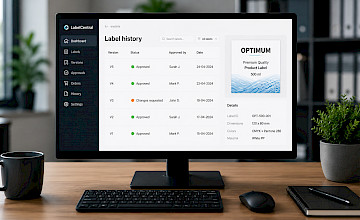
See every version of your label artwork with a complete record of what was approved, by whom, and when.

Works on any device

Review and approve labels from your phone or tablet. LabelCentral is fully optimised for mobile.

Automatic reminders

Approaching a deadline? LabelCentral sends you automatic reminders so approval deadlines are never missed.

Forward to a colleague or end customer

Need a second opinion, or do you supply labels to your own customers? Forward approvals directly from LabelCentral — resellers can do this under their own branding.

Frequently Asked Questions

Quick answers to the questions we hear most often from our customers.

No — you do not need an account to approve artwork. You will receive a secure link by email that allows you to review and approve your artwork directly. If you would like a full account with access to your label history and order history, please contact your Optimum Group account manager.

Please contact your Optimum Group account manager or the Sales Support team. They will send you a new approval link.

Yes. LabelCentral is fully optimized for smartphones and tablets, allowing you to review and approve labels wherever you are.

Open the link in your email to access the approval screen. Use the built-in viewer to inspect the artwork in detail. Then click 'Approve' to confirm, or 'Reject' to provide feedback. If you reject the artwork, you will be asked to describe the changes that are required. When rejecting an artwork, you can now also upload a new file.

Yes. LabelCentral includes a built-in artwork viewer that allows you to zoom in, view individual color separations (including PANTONE and CMYK), and check label specifications such as dimensions and material — all without the need for additional software.

Optimum Group is notified immediately. Your approval is recorded with a timestamp. Production can then begin based on the approved artwork.

You can forward the approval request directly from LabelCentral. With a full account, you can also add other users from your organization, each with their own access level.

Yes. If you are registered as a reseller in our system, you can forward approval requests to your end customer using a neutral branding. Your customer will not see any reference to Optimum Group. Once your end customer has approved the artwork, you will receive a notification to provide the final approval.

Yes, if you have a full LabelCentral account. Your complete label and artwork history is stored and searchable. Please contact your Optimum Group account manager for full access.

You will receive an email from Optimum Group containing a secure link. Click the link to open the approval screen — no login required. You will see an overview of the label awaiting your approval, including its description and expiration date.

Click the artwork thumbnail to open the viewer. Here you can zoom in and out, pan the image, enable or disable individual color channels (PANTONE and CMYK), rotate the view, and review label specifications in the side panel. Please note: rotating the view does not change the artwork itself — it only changes how it is displayed.

Do you have a question about LabelCentral?

We aim to respond within one business day.

Can't find the answer in the FAQ? Do you need help reviewing artwork, requesting an account, or using the portal?

Our team is happy to help.

Fill out the form below and we will get back to you as soon as possible.